
A few people have asked how I get my Digg This! button to float to the right in every wordpress post.
Here is the code I use:
<div style=”float: right; margin-left: 15px; margin-bottom: 2px;”>
<script type=”text/javascript”>
digg_url = ‘<?php the_permalink() ?>’;
</script>
<script src=”http://digg.com/tools/diggthis.js” type=”text/javascript”>
</script></div>
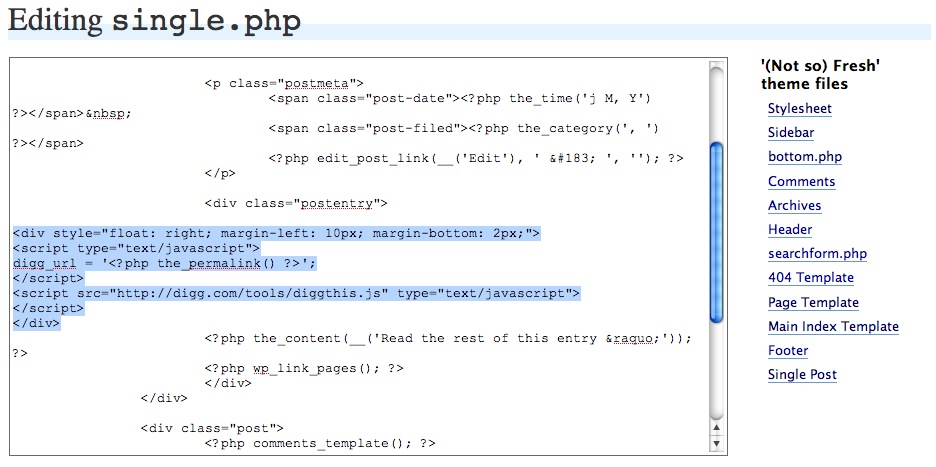
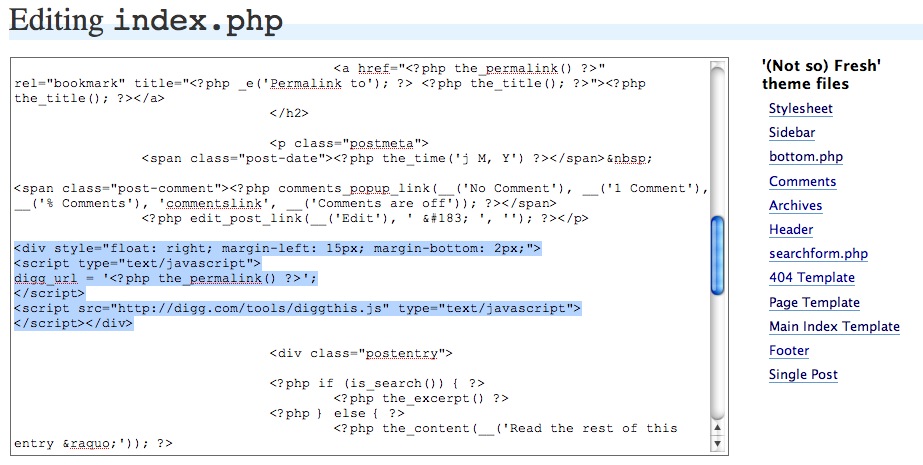
For my current theme (Not So) Fresh I had to add it into two places, the main index and the single post pages. Here is what it looks like in each of those places:
Screenshot of index.php:
Screenshot of single.php:
Hopefully that helps, if you have any questions, email me or post them in the comments section.







Fantastic! I tried out Digg this, but found it too obtrusive on my posts – this’ll rectify that problem!
Am I missing something? I pasted that text just like you had it in the screenshots, and nothing shows up on my posts. I tried it on two different blogs. Made sure I was looking at posts that had been submitted to Digg.
Is there another step?
Brandon,
I still cannot get the button to show up on my site, fredsdigitallife.com. Can you help me?
The above is what I’m using…just on ONE post. I’m isng it IN the post not in the post template
post’s url:
http://getguardit.com/guards-you-against-out-of-sightout-of-mind/
site’s url
http://getguardit.com/
I submitted this to Digg a few hours ago. I submitted using the post’s URL. However I notice that the Digg button associated with the post’s URL has “1” (that’s me and my submission) and the Digg button in the post when the post is on the front page (as it is today, the post was published today) has “0”
How can I make sure that the digg button that appears in the post is tallying. If I click it, it takes me to digg and show the site url, not the post url…
Yeah this situation may be too particular to me…I mean the answer might not have any value to anyone but me…but anyway I have to ask. I’m stuck.
Thanks for any light you can shed